Note
Go to the end to download the full example code
Create and manipulate a DPF Dataframe#
创建和操作 DPF Dataframe
在此脚本中,通过从静态模拟中提取结果来生成 DataFrame。然后,它展示了不同的 Dataframe 查看和操作可能性。
Perform required imports#
执行所需的导入
本示例使用了一个提供的文件,您可以通过导入 DPF examples 包获得该文件。
from ansys.dpf import post
from ansys.dpf.post import examples
Get the Simulation object#
获取允许访问结果的 ``Simulation`` 对象
必须使用结果文件的路径实例化 Simulation 对象。例如,Windows 下为 "C:/Users/user/my_result.rst" 或 Linux 下为 "/home/user/my_result.rst" 。
example_path = examples.download_crankshaft() # 曲轴示例
# 自动检测模拟类型,请使用
simulation = post.load_simulation(example_path)

# 要启用自动完成功能,请使用等效的命令:
simulation = post.StaticMechanicalSimulation(example_path)

# 打印 simulation ,了解可用内容的概况
print(simulation)
Static Mechanical Simulation.


Data Sources
------------------------------
C:\Users\ff\AppData\Roaming\Python\Python310\site-packages\ansys\dpf\core\examples\result_files\crankshaft\crankshaft.rst

DPF Model
------------------------------
Static analysis
Unit system: MKS: m, kg, N, s, V, A, degC
Physics Type: Mechanical
Available results:
     -  displacement: Nodal Displacement
     -  velocity: Nodal Velocity
     -  acceleration: Nodal Acceleration
     -  reaction_force: Nodal Force
     -  stress: ElementalNodal Stress
     -  elemental_volume: Elemental Volume
     -  stiffness_matrix_energy: Elemental Energy-stiffness matrix
     -  artificial_hourglass_energy: Elemental Hourglass Energy
     -  thermal_dissipation_energy: Elemental thermal dissipation energy
     -  kinetic_energy: Elemental Kinetic Energy
     -  co_energy: Elemental co-energy
     -  incremental_energy: Elemental incremental energy
     -  elastic_strain: ElementalNodal Strain
     -  structural_temperature: ElementalNodal Temperature
------------------------------
DPF  Meshed Region:
  69762 nodes
  39315 elements
  Unit: m
  With solid (3D) elements
------------------------------
DPF  Time/Freq Support:
  Number of sets: 3
Cumulative     Time (s)       LoadStep       Substep
1              1.000000       1              1
2              2.000000       1              2
3              3.000000       1              3
Get a Dataframe object#
以 Dataframe 数据形式提取结果
displacement_dataframe = simulation.displacement(all_sets=True)
Dataframe 以表格形式显示,行和列标签用于标识数据。
print(displacement_dataframe)
            results       U (m)
            set_ids           1           2           3
node_ids components
    4872          X  5.6781e-06 -5.9469e-06 -3.4137e-05
                  Y  5.1667e-04  1.0318e-03  1.5417e-03
                  Z -3.2535e-06 -4.1346e-06 -2.6398e-06
    9005          X -2.6323e-06 -2.1432e-05 -5.5625e-05
                  Y  4.8445e-04  9.6717e-04  1.4448e-03
                  Z -4.9795e-07  1.2790e-06  5.3134e-06
     ...        ...         ...         ...         ...
Explore Index objects#
探索 ``Index`` 对象
每个数据标签都由索引对象或其专门子类型之一定义。
Dataframe 的列标签在 Dataframe.columns 中定义。
print(displacement_dataframe.columns)
MultiIndex<[ResultIndex<['U (m)']>, SetIndex<values=[1, 2, 3]>]>
ResultIndex 索引定义了存储在 Dataframe 中的结果。
print(displacement_dataframe.columns[0])
# print(displacement_dataframe.columns.results_index)  # equivalent
ResultsIndex "results" with 1 values of <class 'str'> type
您可以检查索引的可用值
print(displacement_dataframe.columns[0].values)
['U (m)']
SetIndex 索引定义了可用的 set ID。
set ID 是与模拟中的每个时间步、步长和子步长或频率相关联的唯一标识符。
如下所示,索引有一个名称和一个给定类型的值列表。
print(displacement_dataframe.columns[1]) # columns 属性返回一个包含所有列名的 Index 对象,然后通过索引 [1] 获取第二列的列名。
print(displacement_dataframe.columns[1].values)
SetIndex "set_ids" with 3 values of <class 'int'> type
[1, 2, 3]
Dataframe 的行标签在 Dataframe.index 中定义。
print(displacement_dataframe.index)
MultiIndex<[MeshIndex<name="node_ids", dtype=<class 'int'>>, CompIndex<name="components", dtype=<class 'str'>>]>
MeshIndex 定义了可获得数据的网格实体。
它可以存储 node ID、element ID 或 face ID。
print(displacement_dataframe.index[0])
# print(displacement_dataframe.index.mesh_index)  # equivalent
MeshIndex "node_ids" with uncounted values of <class 'int'> type
由于可能的值列表可能很长,而且查询成本很高,因此除非明确询问,否则可能无法确定可用值列表。
print(displacement_dataframe.index[0].values)
[ 4872 9005 9373 ... 34314 19123 19114]
然后会更新 MeshIndex 以显示可用实体的实际数量。
print(displacement_dataframe.index[0])
# Important: 请注意,网格实体 ID 是根据内部数据存储结构排序的,默认情况下不是按升序排列!
MeshIndex "node_ids" with 69762 values of <class 'int'> type
CompIndex 定义了可获得数据的结果组件。
print(displacement_dataframe.index[1])
print(displacement_dataframe.index[1].values)
CompIndex "components" with 3 values of <class 'str'> type
['X', 'Y', 'Z']
Change the Dataframe print#
更改 Dataframe 打印结果
有一些选项可以配置 Dataframe 的显示方式。 您可以通过以下方式更改想要显示的数据行数:
displacement_dataframe.display_max_rows = 9
print(displacement_dataframe)
            results       U (m)
            set_ids           1           2           3
node_ids components
    4872          X  5.6781e-06 -5.9469e-06 -3.4137e-05
                  Y  5.1667e-04  1.0318e-03  1.5417e-03
                  Z -3.2535e-06 -4.1346e-06 -2.6398e-06
    9005          X -2.6323e-06 -2.1432e-05 -5.5625e-05
                  Y  4.8445e-04  9.6717e-04  1.4448e-03
                  Z -4.9795e-07  1.2790e-06  5.3134e-06
    9373          X -2.6475e-05 -6.9632e-05 -1.2845e-04
                  Y  4.9502e-04  9.8751e-04  1.4741e-03
                  Z  6.9526e-06  1.6184e-05  2.7631e-05
     ...        ...         ...         ...         ...
或显示的数据列数:
displacement_dataframe.display_max_columns = 2
print(displacement_dataframe)
# Notice: ``...`` 符号表示 DataFrame 在该方向上被截断。
            results       U (m)             ...
            set_ids           1           2 ...
node_ids components                         ...
    4872          X  5.6781e-06 -5.9469e-06 ...
                  Y  5.1667e-04  1.0318e-03 ...
                  Z -3.2535e-06 -4.1346e-06 ...
    9005          X -2.6323e-06 -2.1432e-05 ...
                  Y  4.8445e-04  9.6717e-04 ...
                  Z -4.9795e-07  1.2790e-06 ...
    9373          X -2.6475e-05 -6.9632e-05 ...
                  Y  4.9502e-04  9.8751e-04 ...
                  Z  6.9526e-06  1.6184e-05 ...
     ...        ...         ...         ... ...
The special case of ElementalNodal results#
ElementalNodal 结果的特殊情况
当处理位于每个单元的每个节点(又称 ElementalNodal)上的结果时,会在创建时添加一个 ElementNodeIndex 索引,以指向单元连接中的节点编号。
stress = simulation.stress()
print(stress)
print(stress.columns)
print(stress.columns[2]) # columns 属性返回一个包含所有列名的 Index 对象,然后通过索引 [2] 获取第三列的列名(即为 "node")。 --ff
                results      S (Pa)
                set_ids           3
                   node           0           1           2           3
 element_ids components
       18357         XX  4.6183e+06 -1.5497e+06 -1.8339e+06 -5.5596e+06
                     YY  5.9405e+07  4.6302e+07  1.2961e+08 -1.2675e+07
                     ZZ  2.2825e+07  4.1579e+07  1.4117e+08 -1.4662e+08
                     XY -3.5088e+05  2.7884e+07  1.5350e+08  1.6123e+08
                     YZ -5.9452e+08 -4.9103e+08 -5.1941e+08 -4.5894e+08
                     XZ  7.6945e+06  2.3978e+07  3.2925e+07 -2.2203e+07
         ...        ...         ...         ...         ...         ...

MultiIndex<[ResultIndex<['S (Pa)']>, SetIndex<values=[3]>, ElementNodeIndex<name="node", dtype=<class 'int'>>]>
ElementNodeIndex "node" with 1 values of <class 'int'> type
Data selection#
数据选择
要选择特定的列或行,可使用索引名称作为 DataFrame.select 方法的参数,获取值列表:
disp_X_1 = displacement_dataframe.select(
    set_ids=[1], node_ids=[4872, 9005], components=["X"]
)
print(disp_X_1)
            results       U (m)
            set_ids           1
node_ids components
    4872          X  5.6781e-06
    9005            -2.6323e-06
您还可以使用 Dataframe.iselect 使用基于零的位置沿索引进行选择:
disp_Y_9005_3 = displacement_dataframe.iselect(
    set_ids=[2], node_ids=[1], components=[1]
)
print(disp_Y_9005_3)
            results      U (m)
            set_ids          3
node_ids components
    9005          Y 1.4448e-03
Extract data#
Once the Dataframe contains the specific data you require, extract it as an array with:
print(disp_X_1.array)
# IMPORTANT: Note that for the extraction of the Dataframe's data as an array to make sense,
# you must first filter the columns label values to a unique combination of values.
# The exception is for ElementalNodal data, which is returned as a 2D array.
print(stress.array.shape)
[ 5.67807472e-06 -2.63230351e-06]
(157260, 6)
Plot a Dataframe#
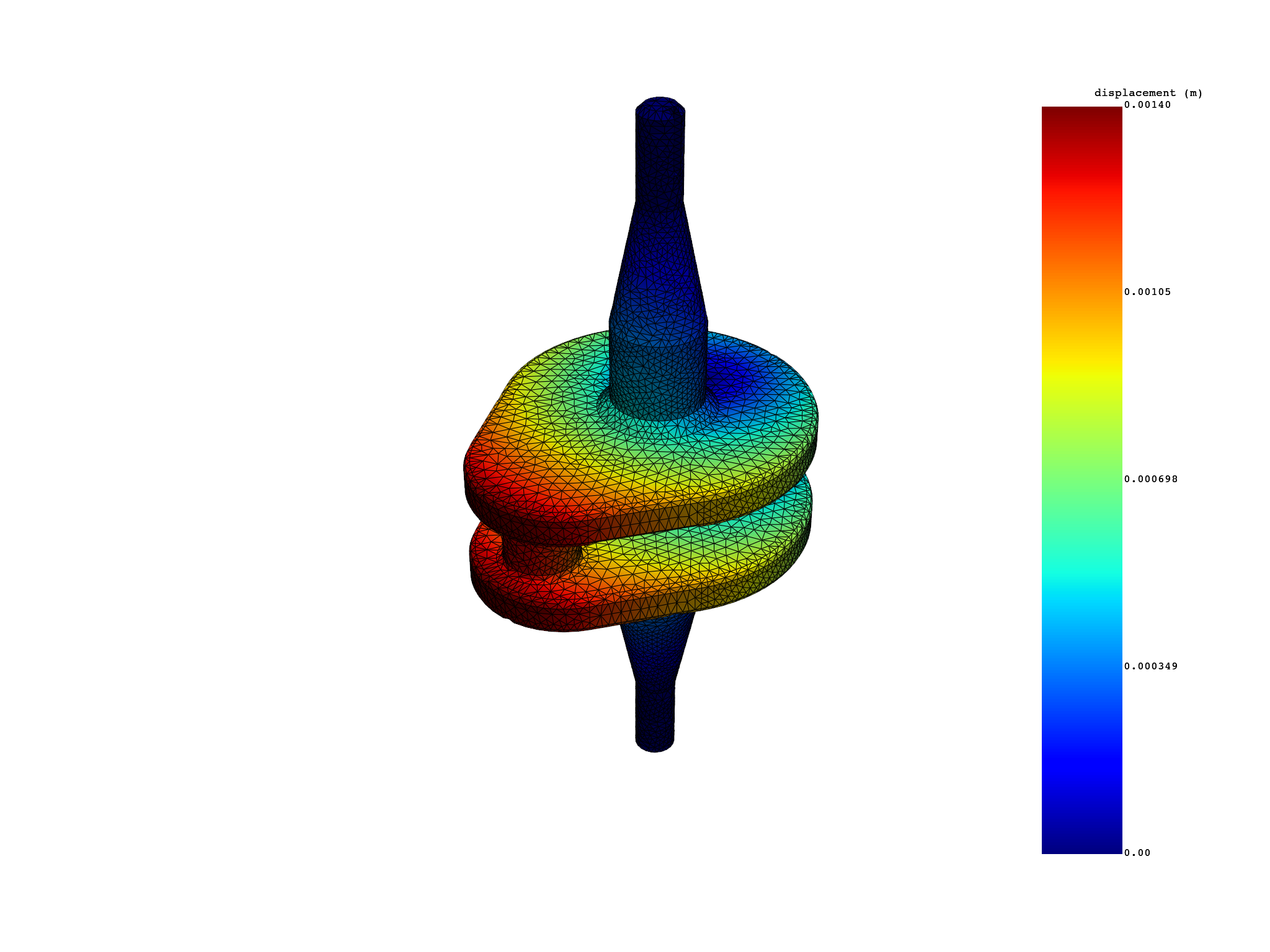
displacement_dataframe.plot()
Animate a transient Dataframe#
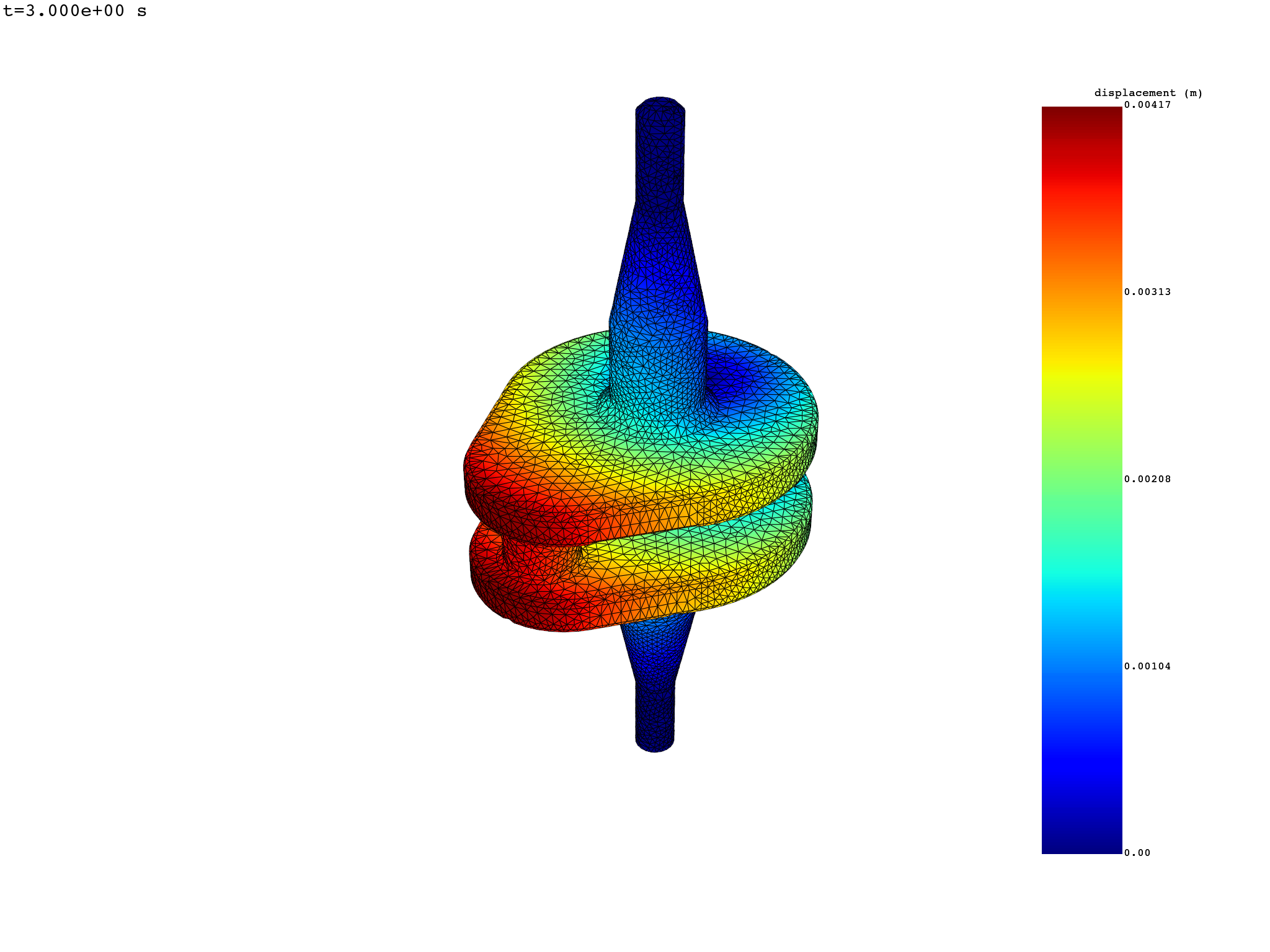
displacement_dataframe.animate()
Total running time of the script: (0 minutes 4.110 seconds)