Note
Go to the end to download the full example code
Explore the mesh#
探索网格
本例演示了如何探索和操作网格对象,以查询网格数据,如连接表、单元 ID、单元类型等。
Perform required imports#
执行所需的导入
本示例使用了一个提供的文件,您可以通过导入 DPF examples 包获得该文件。
from ansys.dpf import post
from ansys.dpf.post import examples
from ansys.dpf.post.common import elemental_properties
Load the result file#
将结果文件加载到允许访问结果的 ``Simulation`` 对象中。
必须使用结果文件的路径实例化 Simulation 对象。例如,Windows 下为 "C:/Users/user/my_result.rst" 或 Linux 下为 "/home/user/my_result.rst" 。
example_path = examples.download_harmonic_clamped_pipe()
simulation = post.HarmonicMechanicalSimulation(example_path)
Get the mesh#
获取网格
# 读取并打印网格
mesh = simulation.mesh
print(mesh)
DPF  Mesh:
  9943 nodes
  5732 elements
  Unit: mm
  With solid (3D) elements, shell (2D) elements, shell (3D) elements
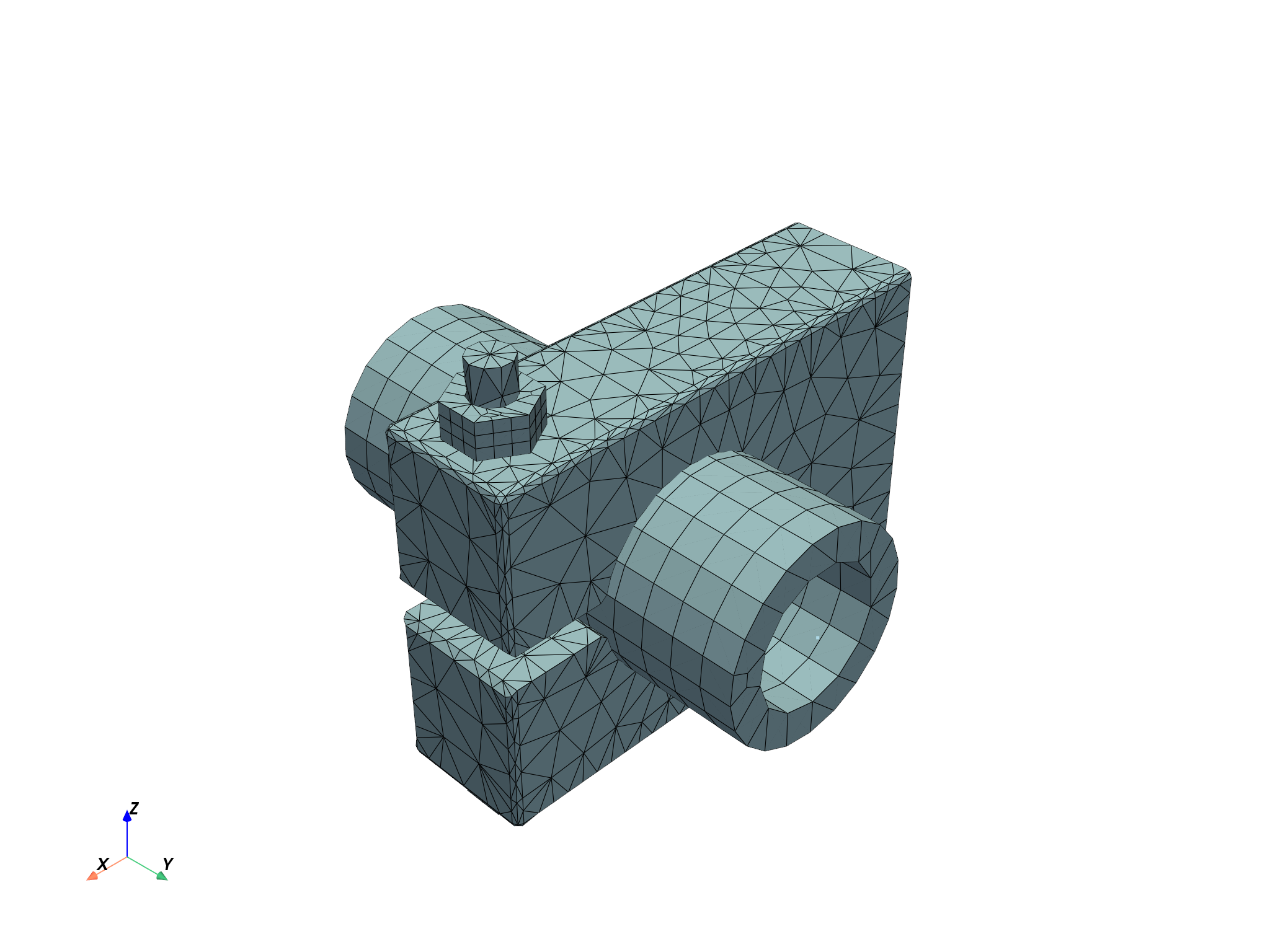
Plot the mesh#
绘制网格
mesh.plot()
Query basic information about the mesh#
查询网格的基本信息
# ``Mesh`` 对象有多个属性,可以访问不同的信息,例如
节点数量
print(f"该网格共包含 {mesh.num_nodes} 个节点")
该网格共包含 9943 个节点
节点 IDs 列表
print(f"with IDs: {mesh.node_ids}")
with IDs: [ 1 2 3 ... 9941 9942 9943]
单元数量
print(f"该网格共包含 {mesh.num_elements} 个单元")
该网格共包含 5732 个单元
单元 IDs 列表
print(f"with IDs {mesh.element_ids}")
with IDs [3487 3960 1449 ... 8438 8437 8540]
网格模型单位
print(f"The mesh is in '{mesh.unit}'")
The mesh is in 'mm'
Named selections#
指定的选择
# 可用的命名选择以字典形式给出,名称为键,实际的 ``NamedSelection`` 对象为值。打印字典可让您了解可用的名称。

named_selections = mesh.named_selections
print(named_selections)
NamedSelections dictionary with 4 named selections:
        - 'CLAMP'
        - 'PIPE'
        - 'SCREW'
        - '_FIXEDSU'
要获取特定的命名选区,请使用其名称作为关键字进行查询
print(named_selections["_FIXEDSU"])
NamedSelection '_FIXEDSU'
 with DPF  Scoping:
  with Nodal location and 161 entities
Elements#
单元
# 使用 ``mesh.elements`` 访问单元对象列表
print(mesh.elements)
[tet10, ..., point1]
然后,您就可以根据特定单元的 ID 对其进行查询
print(mesh.elements.by_id[1])
DPF Element 1
        Index:         4239
        Nodes:           20
        Type:         Hex20
        Shape:        Solid
或按其索引
element_0 = mesh.elements[0]
print(element_0)
DPF Element 3487
        Index:            0
        Nodes:           10
        Type:         Tet10
        Shape:        Solid
Query information about a particular element#
查询有关特定单元的信息
您可以请求附加到 Element 对象的节点的ID
print(element_0.node_ids)
[3548, 3656, 4099, 3760, 6082, 6650, 6086, 6085, 6647, 7147]
或 Node 对象列表
print(element_0.nodes)
[<ansys.dpf.core.nodes.Node object at 0x0000019425234F10>, <ansys.dpf.core.nodes.Node object at 0x0000019425234F70>, <ansys.dpf.core.nodes.Node object at 0x00000194252355D0>, <ansys.dpf.core.nodes.Node object at 0x00000194252359C0>, <ansys.dpf.core.nodes.Node object at 0x0000019425235A20>, <ansys.dpf.core.nodes.Node object at 0x0000019425235A80>, <ansys.dpf.core.nodes.Node object at 0x0000019425235AE0>, <ansys.dpf.core.nodes.Node object at 0x0000019425235B40>, <ansys.dpf.core.nodes.Node object at 0x0000019425235BA0>, <ansys.dpf.core.nodes.Node object at 0x0000019425235C00>]
要获取附加的节点数,请使用
print(element_0.num_nodes)
10
获取单元的类型
print(element_0.type_info)
print(element_0.type)
Element Type
------------
Enum id (dpf.element_types): element_types.Tet10
Element description: Quadratic 10-nodes Tetrahedron
Element name (short): tet10
Element shape: solid
Number of corner nodes: 4
Number of mid-side nodes: 6
Total number of nodes: 10
Quadratic element: True
element_types.Tet10
获取单元的形状
print(element_0.shape)
solid
Element types and materials#
单元类型和材料
通过 Mesh 对象可以访问在所有图元上定义的特性,例如其类型或与之关联的材料。
获取所有单元的类型
print(mesh.element_types)
    results elem_type_id
element_ids
       3487            0
       3960            0
       1449            0
       3131            0
       3124            0
       3126            0
        ...          ...
获取所有单元的材料
print(mesh.materials)
    results material_id
element_ids
       3487           1
       3960           1
       1449           1
       3131           1
       3124           1
       3126           1
        ...         ...
Elemental connectivity#
单元节点
单元连接性使用 ID 或索引将单元映射到连接节点。
要使用单元索引访问连接节点的 index,请使用
element_to_node_connectivity = mesh.element_to_node_connectivity
print(element_to_node_connectivity[0]) # 注意,这个 index 是从 0 开始的
[3547, 3655, 4098, 3759, 6081, 6649, 6085, 6084, 6646, 7146]
要使用单元索引访问连接节点的 ID,请使用
element_to_node_ids_connectivity = mesh.element_to_node_ids_connectivity
print(element_to_node_ids_connectivity[0]) # 注意 ,这里的 ID 是从 1 开始的
[3548, 3656, 4099, 3760, 6082, 6650, 6086, 6085, 6647, 7147]
每个连接对象都有一个 by_id 属性,可将输入从 index 改为 ID,因此
要使用单元 ID 访问与之连接节点的 index,请使用
element_to_node_connectivity_by_id = mesh.element_to_node_connectivity.by_id
print(element_to_node_connectivity_by_id[3487])
[3547, 3655, 4098, 3759, 6081, 6649, 6085, 6084, 6646, 7146]
要使用单元 ID 访问与之连接节点的 ID,请使用
element_to_node_ids_connectivity_by_id = mesh.element_to_node_ids_connectivity.by_id
print(element_to_node_ids_connectivity_by_id[3487])
[3548, 3656, 4099, 3760, 6082, 6650, 6086, 6085, 6647, 7147]
Nodes#
通过 ID 获取节点
node_1 = mesh.nodes.by_id[1]
print(node_1)
Node(id=1, coordinates=[44.90718016, 12.57776697, 53.33333333])
通过 index 获取节点
print(mesh.nodes[0])
Node(id=1, coordinates=[44.90718016, 12.57776697, 53.33333333])
获取所有节点的坐标
print(mesh.coordinates)
            results  coord (m)
node_ids components
       1          X 4.4907e+01
                  Y 1.2578e+01
                  Z 5.3333e+01
       2          X 4.4907e+01
                  Y 1.2578e+01
                  Z 5.1667e+01
     ...        ...        ...
Query information about one particular node#
查询一个特定节点的信息
获取节点的坐标
print(node_1.coordinates)
[44.90718016, 12.57776697, 53.33333333]
Nodal connectivity#
Nodal connectivity 使用 ID 或 index 将节点映射到相连的单元。
要使用节点 index 访问相邻单元的 index,请使用
node_to_element_connectivity = mesh.node_to_element_connectivity
print(node_to_element_connectivity[0])
[4216, 4218, 4219, 4242, 4244, 4245]
要使用节点 index 访问相邻单元的 ID,请使用
node_to_element_ids_connectivity = mesh.node_to_element_ids_connectivity
print(node_to_element_ids_connectivity[0])
[11, 8, 14, 10, 7, 13]
每个相邻对象都有一个 by_id 属性,可将输入从 index 改为 ID,因此
要使用节点的 ID 访问相邻单元的 index,请使用
node_to_element_connectivity_by_id = mesh.node_to_element_connectivity.by_id
print(node_to_element_connectivity_by_id[1])
[4216, 4218, 4219, 4242, 4244, 4245]
要使用节点的 ID 访问相邻单元的 ID,请使用
node_to_element_ids_connectivity_by_id = mesh.node_to_element_ids_connectivity.by_id
print(node_to_element_ids_connectivity_by_id[1])
[11, 8, 14, 10, 7, 13]
Splitting into meshes#
拆分网格
您可以根据网格属性拆分全局网格,以处理网格的特定部分
meshes = simulation.split_mesh_by_properties(
    properties=[elemental_properties.material, elemental_properties.element_shape]
)
获得的对象是一个 Meshes
print(meshes)
DPF Meshes Container with
        14 mesh(es)
        defined on labels ['elshape', 'mat']
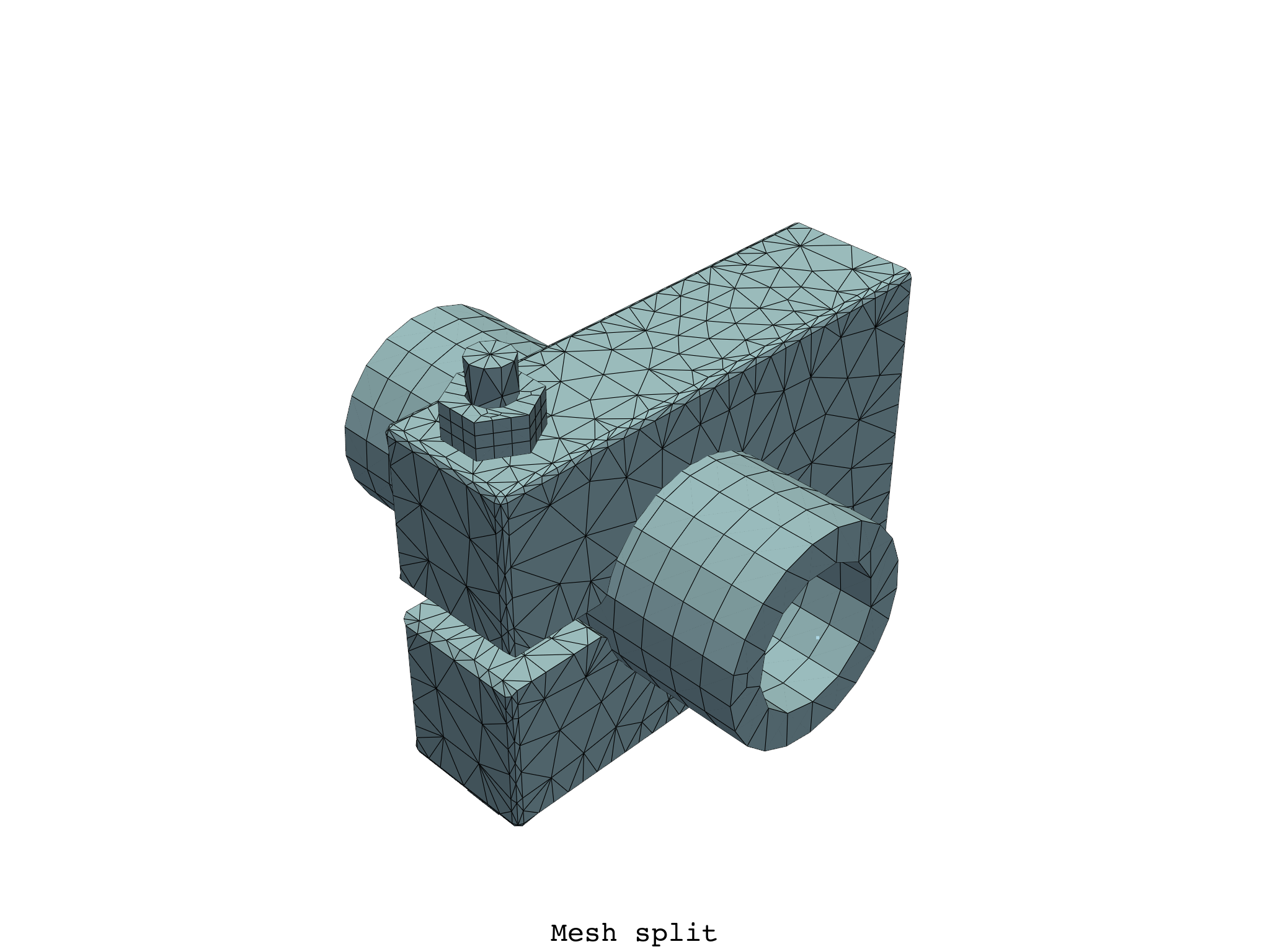
绘制一个 Meshes 对象时,会绘制其中所有 Mesh 对象的组合。
meshes.plot(text="Mesh split")
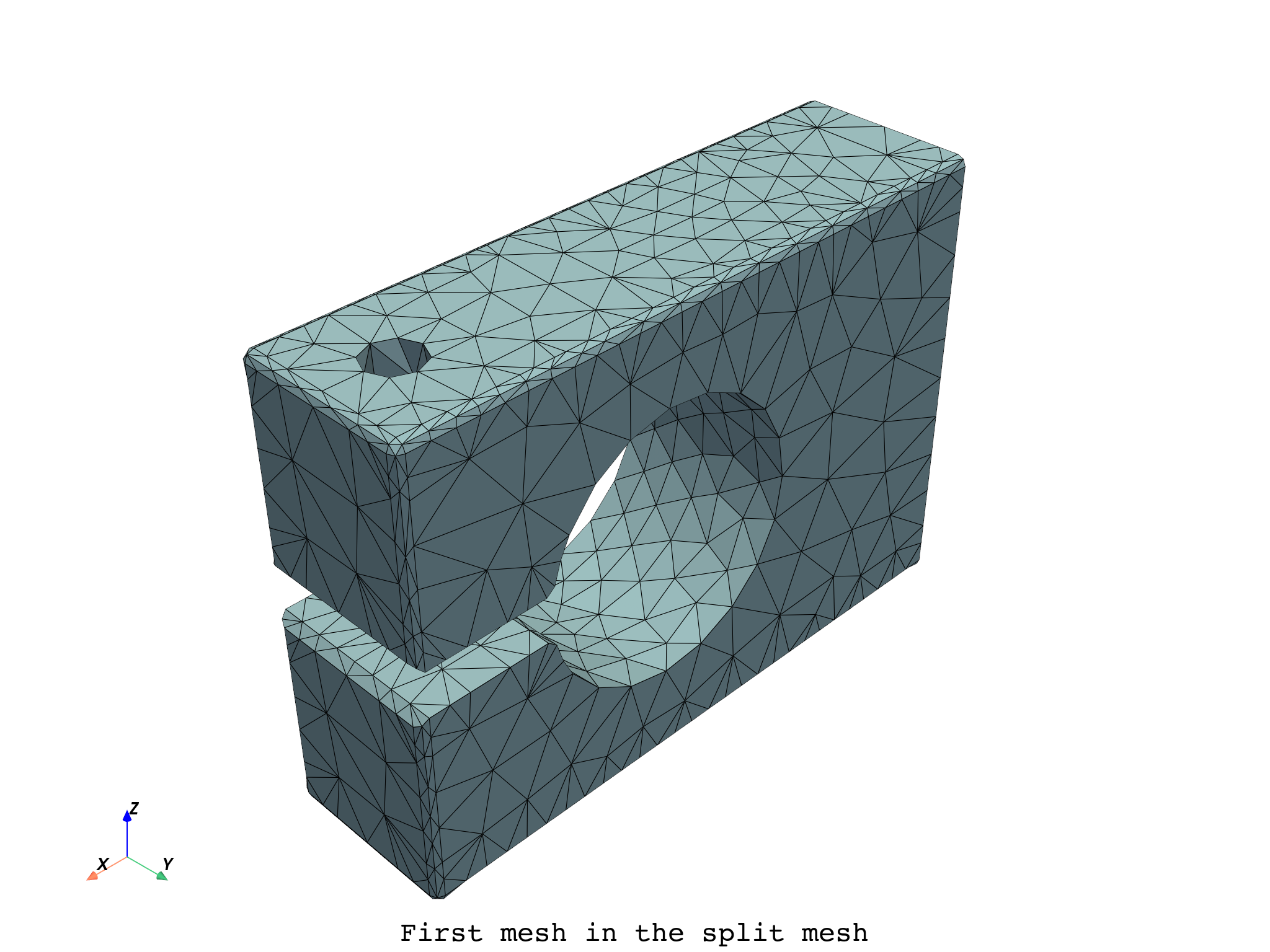
按索引选择 Meshes 中的特定 Mesh
meshes[0].plot(text="First mesh in the split mesh")
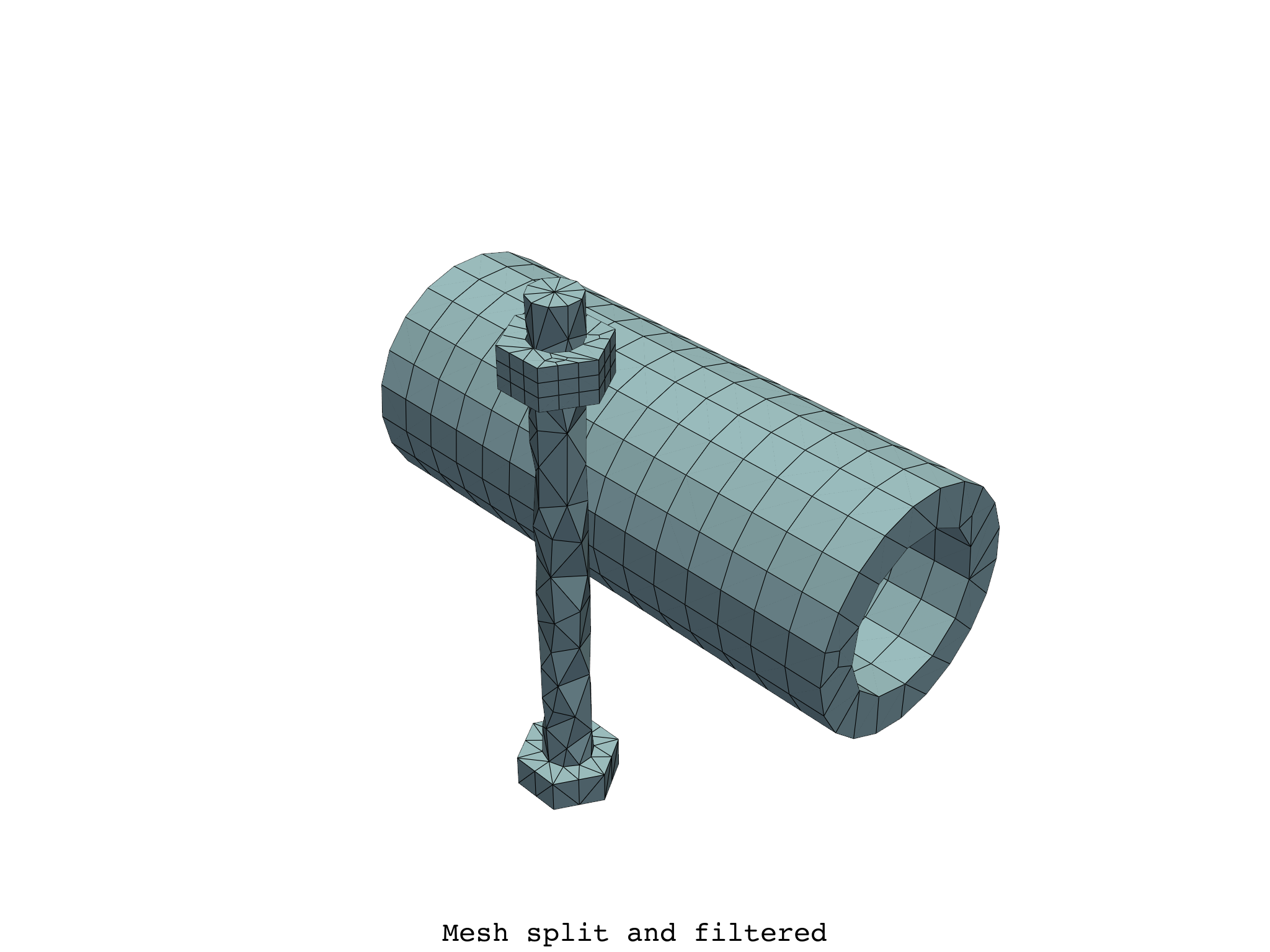
您可以分割全局网格,并根据特定属性值选择网格
meshes_filtered = simulation.split_mesh_by_properties(
    properties={
        elemental_properties.material: [2, 3, 4],
        elemental_properties.element_shape: 1,
    }
)
meshes_filtered.plot(text="Mesh split and filtered")
或具有属性值的唯一组合
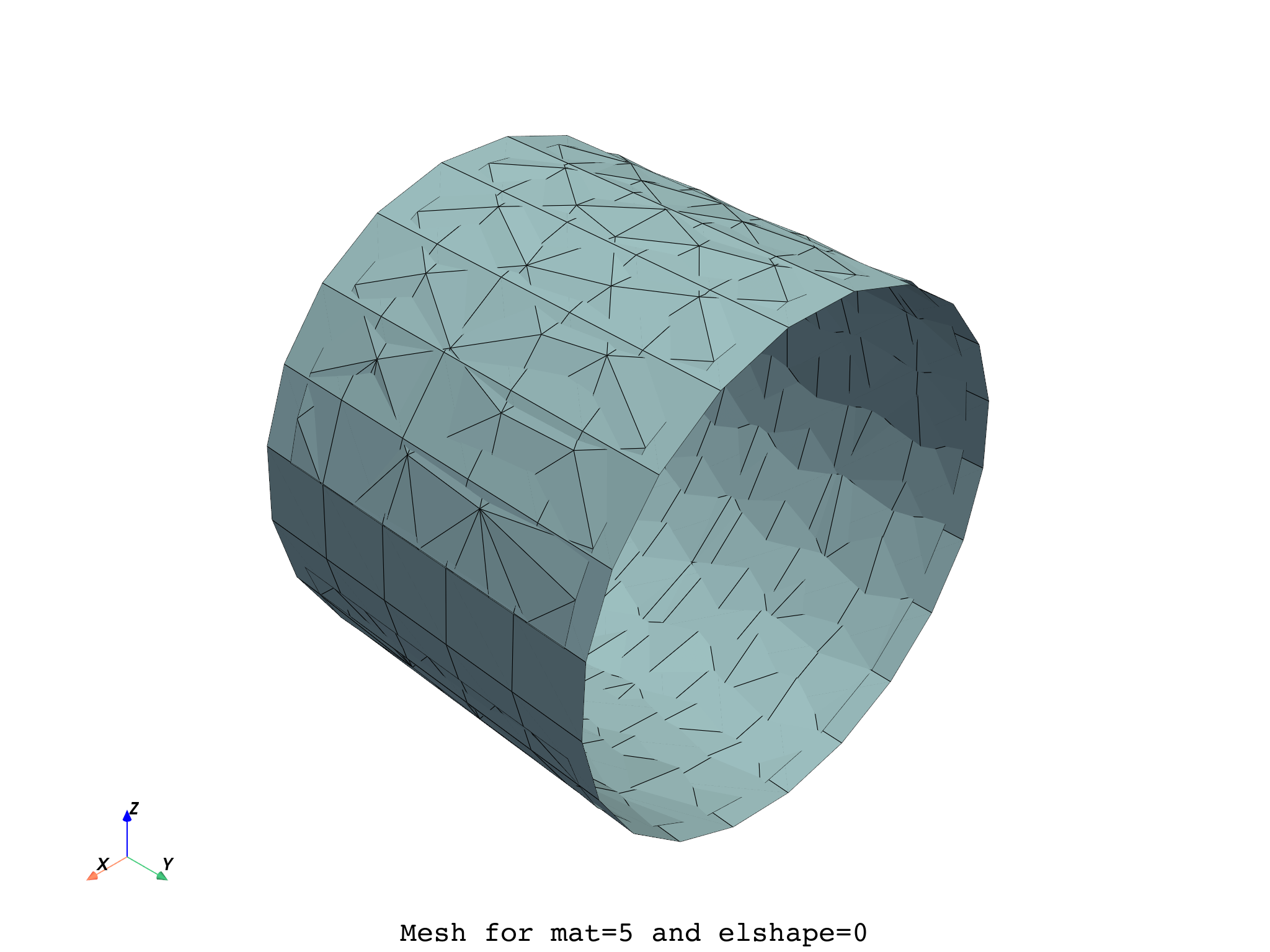
meshes[{"mat": 5, "elshape": 0}].plot(text="Mesh for mat=5 and elshape=0")
Total running time of the script: (0 minutes 2.770 seconds)